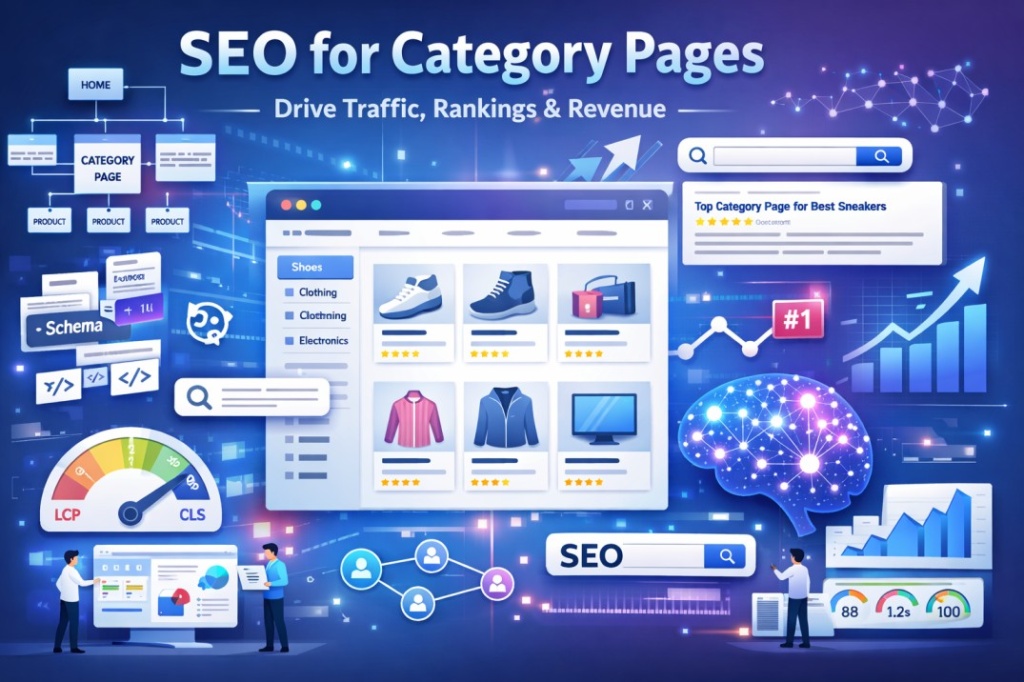
Quick Answer: SEO for category pages involves optimizing the structure, content, metadata, and technical elements of pages that group related products or topics. Key steps include conducting keyword research, writing unique category descriptions, building clean URL structures, implementing schema markup, improving page speed, and managing faceted navigation. Properly optimized category pages capture high-intent, high-volume search traffic.
What Are Category Pages? (And Why They Matter for SEO)
Most businesses treat category pages as simple organizational containers. A place to dump products into folders. That mindset is costing them thousands of monthly visitors and real revenue.
Category pages are not just navigation tools. They are some of the most commercially powerful pages on your entire website — and when they are properly optimized, they become traffic engines that run 24/7.
Definition: What Is a Category Page?
A category page is a webpage that organizes a group of related products, content, or topics under a single URL. In ecommerce, category pages list products in a specific segment — for example, "Men's Running Shoes" or "Women's Winter Coats." On blogs or SaaS sites, they group related articles or features under a shared topic. They sit between the homepage and individual product or content pages in the site hierarchy, acting as the connective tissue of your site architecture.
Think of them as the department floors in a department store. The homepage is the building entrance. Category pages are the floors. Products are the shelves.
Why Category Pages Are the Most Valuable Pages on Your Site
Here is where most site owners are leaving significant revenue on the table.
Research consistently shows that approximately 70% of online shopping journeys start on category pages, not on product pages. Buyers do not arrive on your site already knowing which specific product they want. They arrive with a general intent — "running shoes" or "standing desks" — and they expect your category page to help them narrow it down.
Organic search drives over 43% of all ecommerce traffic. That traffic flows overwhelmingly to category pages, not product pages, because category keywords carry the volume.
Consider this: a product page for "Nike Air Max 270 Size 10 in Blue" might attract 50 searches per month. A category page for "Men's Running Shoes" can attract 200,000 or more. A single well-ranked category keyword can drive thousands of monthly visitors who are actively researching a purchase — visitors who are close to buying and ready to convert.
| Page Type | Target Keywords | Search Volume | Intent | Revenue Impact |
|---|---|---|---|---|
| Category Page | Broad / mid-tail (e.g., "running shoes") | High | Commercial / Transactional | Very High |
| Product Page | Long-tail / branded (e.g., "Nike Air Max 270 size 10") | Low to Medium | Transactional | High |
| Blog Post | Informational (e.g., "how to choose running shoes") | Medium | Informational | Indirect |
| Homepage | Brand / navigational | High | Navigational | High |
The implication is clear: if you want to understand how long does it take to see results from SEO, category pages are where you invest first. Ranking a well-optimized category page for a mid-to-high volume keyword produces compounding, scalable traffic. One page. Thousands of monthly visitors. Indefinitely.
Step 1: Keyword Research for Category Pages
This is where most ecommerce and content sites get it fundamentally wrong.
In our experience auditing dozens of category pages, the most common mistake is not a lack of keywords. It is targeting the wrong keywords entirely. Many category pages either target keywords that belong to blog posts (informational intent) or skip keyword research altogether and just name the page after their internal product taxonomy.
Neither works.
How to Find the Right Keywords for Category Pages
Category page keyword research is a structured process. Follow these steps precisely:
Step 1: Start with a seed keyword. Use your product or topic category name as your starting point. For a shoe retailer, that is simply "running shoes" or "men's shoes."
Step 2: Expand using a keyword research tool. Tools like Ahrefs, Semrush, or Google Keyword Planner will return hundreds of variations. Pull the full list.
Step 3: Filter for commercial and transactional intent. You are looking for keywords where the searcher wants to browse, compare, or buy — not learn. Terms like "best," "shop," "buy," "online," or "for men/women" are strong signals of the right intent.
Step 4: Prioritize keywords with 1,000 or more monthly searches. Category pages should target volume. Keywords below 1,000 monthly searches are better served by product or blog pages.
Step 5: Check what Google is already ranking. Search your target keyword manually. If the results show category pages from ecommerce sites, that confirms the SERP intent matches your page type. If results are blog posts or guides, the keyword belongs to content, not a category page.
Step 6: Map one primary keyword per category page. Keyword cannibalization — where two pages compete for the same query — is a silent killer of category page rankings. Each page needs a unique keyword target.
Understanding Search Intent for Category Pages
Search intent is the single most important concept in category page SEO. Get it right, and you are aligned with what Google wants to show. Get it wrong, and no amount of on-page optimization will save you.
Category pages overwhelmingly serve commercial investigation and transactional intent. A user searching "best running shoes" is comparing options. A user searching "buy running shoes online" is ready to purchase. Both of these belong on a category page. A user searching "how to choose running shoes" is researching — that belongs on a blog post.
| Keyword Type | Intent | Good for Category Page? | Example |
|---|---|---|---|
| "buy [product]" | Transactional | Yes | "buy running shoes" |
| "best [product]" | Commercial Investigation | Yes | "best running shoes" |
| "[product] online" | Transactional | Yes | "running shoes online" |
| "how to [task]" | Informational | No — use a blog | "how to choose running shoes" |
| "[brand] [product]" | Navigational / Transactional | Sometimes | "Nike running shoes" |
Long-Tail Category Keywords and Subcategory Opportunities
Here is an insight that surprises many clients: long-tail category keywords frequently convert better than broad ones.
Research from Embryo suggests that long-tail keywords convert at approximately 36% versus around 11.5% for short-tail equivalents. A search for "waterproof trail running shoes for wide feet" is coming from someone who knows exactly what they need. That specificity signals buying intent.
This is where your subcategory strategy becomes a revenue decision, not just an SEO decision. Instead of one broad "Running Shoes" category, consider building subcategory pages for "Trail Running Shoes," "Road Running Shoes," "Minimalist Running Shoes," and "Running Shoes for Wide Feet" — each targeting a specific, long-tail, high-converting keyword cluster.
If you are unsure which subcategories make sense for your site, our team at Digital Web Magnate regularly conducts this type of keyword mapping as part of our SEO strategy process.
Step 2: Category Page Structure and URL Architecture
A well-researched keyword strategy means nothing if your site structure buries category pages four or five clicks from the homepage. Crawl depth, URL clarity, and logical hierarchy are foundational to how well your category pages perform.
How to Structure Your Category Hierarchy
The rule of thumb in category hierarchy is this: keep it shallow and logical. Google's crawlers follow links from page to page. The deeper a page sits in your hierarchy, the less link equity it receives and the less frequently it gets crawled.
Best practice is a maximum of two to three nesting levels:
Homepage
└── /shoes/ (Top-Level Category)
    ├── /shoes/mens/ (Subcategory)
    │   ├── /shoes/mens/running/ (Sub-subcategory)
    │   └── /shoes/mens/casual/ (Sub-subcategory)
    └── /shoes/womens/ (Subcategory)
This structure ensures that even your deepest subcategory pages are reachable within three clicks from the homepage. Any deeper than that and you risk crawl budget issues, lower link equity flow, and reduced indexation frequency.
Additional principles to follow:
- Each category should have a unique, keyword-aligned purpose — do not create categories that overlap in scope
- Avoid creating categories with fewer than 8 to 10 products or pages; thin categories often get treated as low-quality pages by Google
- Group categories by user intent, not internal product codes or supplier taxonomy
- Subcategory pages should always link clearly back to their parent category
SEO-Friendly URL Structure for Category Pages
Your URL is a ranking signal, a user experience factor, and a trust signal — all in one. A clean, readable URL tells both Google and the user exactly what to expect on the page before they click.
| Bad URL | Good URL | Why It Matters |
|---|---|---|
/cat?id=47&sort=new | /shoes/mens/running/ | Clean, keyword-rich, human-readable |
/category/subcategory/subsubcategory/product-type/ | /shoes/running/ | Shorter depth, faster crawling |
/MENS-SHOES/ | /mens-shoes/ | Lowercase ensures consistent canonicals |
/mens_shoes/ | /mens-shoes/ | Hyphens are preferred over underscores |
/shoes/page=2/ | /shoes/?page=2 (with canonical) | Pagination handled correctly |
The rules are simple but worth committing to: use lowercase letters throughout, separate words with hyphens rather than underscores, include the primary keyword in the URL, keep depth to a maximum of three clicks from the homepage, and avoid session IDs, tracking parameters, or any unnecessary parameters appearing in indexable URLs.
Breadcrumbs: The Unsung SEO Hero of Category Pages
Breadcrumbs do three things that matter enormously for category page SEO.
First, they help Google understand where a page sits in your site hierarchy, reinforcing the crawl path from homepage to subcategory. Second, they distribute link equity upward through the hierarchy with every breadcrumb click path. Third, when implemented with BreadcrumbList schema markup, they unlock breadcrumb rich results in the SERPs — replacing the raw URL with a cleaner, more readable path that increases click-through rate.
Implement breadcrumbs on every category and subcategory page without exception. Ensure the breadcrumb trail matches your URL hierarchy exactly. The schema implementation is covered in Step 6 of this guide.
Step 3: On-Page SEO Optimization for Category Pages
On-page optimization is where most category page guides stop. We are going to go considerably deeper, because the difference between a category page that ranks on page two and one that holds position one is often found in these details.
Writing the Perfect Category Page Title Tag
Your title tag is your first impression in the search results. It determines whether someone clicks on your result or scrolls past it. For category pages, there is a reliable formula that works:
Formula: [Primary Keyword] | [Modifier] | [Brand Name]
Applied examples:
- Men's Running Shoes | Free Shipping | SportsDirect — this works because it leads with the keyword, adds a value proposition, and ends with brand recognition
- Women's Winter Coats — Shop 200+ Styles | ASOS — the "200+" adds specificity that signals both authority and selection depth
- Category Page - Men's Shoes — this fails because it is generic, low-intent, and gives the user no reason to click
- Men's Shoes Men's Footwear Men's Sneakers — this is keyword stuffing; it reads as untrustworthy and Google may truncate or rewrite it
Keep your title tag between 50 and 60 characters. Use a SERP snippet preview tool to test before deploying.
Crafting Meta Descriptions That Drive Clicks
Meta descriptions do not directly influence your rankings. But they directly influence your click-through rate, which is a behavioral signal that Google does factor into how it evaluates your content over time. A strong meta description is worth writing carefully.
Formula: [Compelling benefit] + [Social proof or USP] + [CTA]
Applied example: "Shop 500+ men's running shoes with free next-day delivery. Expert-curated styles for every runner. Find your perfect pair today."
This example works because it leads with depth of selection (social proof), adds a logistical USP (next-day delivery), frames the editorial curation as a benefit, and closes with a direct call to action. Stay within 160 characters.
H1 Tags for Category Pages
Simple rule: one H1 per page, always. Include the primary keyword naturally. Make it slightly different from the title tag to avoid duplication signals.
If your title tag is "Men's Running Shoes | Free Shipping | SportsDirect," your H1 should simply be "Men's Running Shoes." The H1 does not need the modifiers that the title tag carries for CTR purposes. It needs to clearly tell Google and the reader what the page is about.
Writing Category Page Descriptions That Rank AND Convert
This is the element that more than 70% of category pages get wrong. Either they have no description at all, or they use boilerplate copy pasted across every category with just the name swapped out. Both approaches send a signal to Google that the page has thin, low-value content.
Here is what works:
Write 150 to 300 words of unique, valuable content for every category page. This is not a word count exercise — it is a user value exercise. The content should answer the questions that someone arriving on this category page would naturally have.
Place a short introduction of 50 to 80 words above the product grid. This is enough for Google to extract a clear content signal without burying your products below the fold. Place the fuller descriptive copy below the product grid, where it adds value without interrupting the shopping experience.
What to include in your category description:
- A clear statement of what products are in this category and who they are for
- Key features or benefits that matter most to buyers in this category
- Answers to the most common pre-purchase questions buyers have
- Links to relevant subcategories that help users self-segment
- Trust signals — average review rating, total product count, shipping or returns policy
What to avoid:
| Include | Avoid |
|---|---|
| Unique, hand-written copy | Copy-pasted manufacturer text |
| Primary and secondary keywords used naturally | Keyword stuffing |
| Internal links to subcategories | Excessive outbound links |
| FAQs relevant to the category | Generic placeholder copy ("Find great products here") |
| Buying guidance and use-case framing | Over-promotional language |
| Social proof signals | Duplicate content across similar categories |
A before-and-after example illustrates the difference clearly. A generic category description might say: "Browse our range of men's shoes. We have many styles to choose from." A well-optimized description might say: "Men's running shoes sit at the intersection of performance and comfort. Whether you are training for a marathon, committing to a morning jog routine, or looking for a versatile everyday trainer, this category covers 500+ styles from leading brands including Nike, Brooks, ASICS, and New Balance. Filter by gait type, terrain, or cushioning level to find the right fit."
The second version answers real questions, surfaces key product attributes, and positions the retailer as knowledgeable — all without a single forced keyword.
Image Optimization for Category Pages
Product images on category pages are among the largest contributors to slow page load times, which directly affects both Core Web Vitals and conversion rates. A few non-negotiable image SEO practices:
- Write descriptive, keyword-informed alt text for every product image and hero banner (e.g., "navy blue mens trail running shoes" rather than "img_47823")
- Convert images to WebP format where possible — WebP files are typically 25 to 35% smaller than equivalent JPEG files at the same visual quality
- Implement lazy loading for product thumbnails that appear below the fold
- Use descriptive filenames for every image file before upload (e.g.,
mens-running-shoes-nike-pegasus.webprather thanproduct47823.jpg)
Step 4: Technical SEO for Category Pages
If on-page SEO is the surface layer, technical SEO is the foundation that everything sits on. Most category page guides from competitors barely touch this section. We are going to cover it in full, because for many ecommerce sites, technical issues are the primary reason well-optimized category pages are not ranking.
Managing Faceted Navigation Without Destroying Your Crawl Budget
Faceted navigation — the filter panels that let users sort by size, color, price range, or brand — is one of the most powerful UX features in ecommerce. It is also one of the most dangerous technical SEO issues if left unmanaged.
Here is why: every filter combination generates a unique URL. A category page with filters for 5 colors, 8 sizes, and 12 brands can theoretically generate hundreds of URL variations — all containing near-identical content. Google's crawlers will attempt to index all of them. This wastes your crawl budget (the number of pages Google crawls per day on your site), creates duplicate content at scale, and can cannibalize your main category page by diluting link equity across dozens of near-identical URLs.
The solutions, in order of preference:
Canonical tags: The most widely applicable solution. Point all filter-generated URLs back to the main category page with a self-referencing canonical. This tells Google which version of the page to index and rank.
Robots.txt and noindex directives: For filter URLs that have absolutely no ranking value (sort order filters, pagination beyond page 3, price range filters with low search volume), blocking these from crawling or indexation is efficient crawl budget management.
Strategic indexation for high-value filters: This is the most sophisticated approach. Identify filter combinations that have genuine search demand. "Men's blue running shoes" might attract 2,000 monthly searches. In that case, do not just canonical it — create a dedicated subcategory page for it, write unique content for it, and canonicalize all other blue shoe filter URLs to that subcategory.
URL parameter handling in Google Search Console: Declare how parameters should be treated at the site level. This is a supplementary measure, not a replacement for canonical tags.
| Filter Combination | Monthly Search Volume | Recommended Action |
|---|---|---|
| Color filter (blue shoes) | High (1,000+) | Create dedicated subcategory page |
| Size filter (size 10 shoes) | Medium (200 to 999) | Canonical to main category |
| Sort filter (shoes by price) | None | Block via robots.txt or noindex |
| Brand filter (Nike shoes) | High | Create dedicated brand category page |
| Multiple filters combined | Usually low | Canonical to main category |
Pagination: How to Handle Page 2, Page 3, Page 4
Category pages with large product inventories will often paginate. Handled incorrectly, pagination creates duplicate content issues and fragments your link equity. Handled correctly, it is seamless.
Best practices for paginated category pages:
- Give every paginated page a unique title tag — for example, "Men's Running Shoes — Page 2 | Brand Name"
- Implement self-referencing canonical tags on each paginated page
- Never block paginated pages from crawling — Google needs to be able to follow the pagination to discover all products
- Consider an infinite scroll implementation with a "View All" option; ensure the View All page is indexable and use JavaScript rendering correctly so that Googlebot can see the content
The rel="next" and rel="prev" link attributes were officially deprecated by Google in 2019, but many CMS platforms still implement them. They do not actively harm your SEO, but they are not relied upon by Google for pagination handling.
Core Web Vitals for Category Pages
Core Web Vitals are confirmed Google ranking signals. For category pages specifically, they are frequently the difference between page one and page two, because category pages tend to be heavier pages with product grids, large hero images, and interactive filter panels.
The 2026 Core Web Vitals targets you need to hit:
LCP (Largest Contentful Paint) under 2.5 seconds. On category pages, the LCP element is almost always the hero banner image or the first row of product images. Unoptimized, these are typically 300KB to 1MB+ image files that load slowly on mobile connections. Fix: compress to WebP, preload the hero image in the document head using a <link rel="preload"> tag, and ensure images are appropriately sized for the viewport.
CLS (Cumulative Layout Shift) below 0.1. Category pages fail CLS most often because product grid images load without defined dimensions. The browser reserves no space for them, then shifts the entire page layout when they arrive. Fix: set explicit width and height attributes on every <img> tag in your product grid.
INP (Interaction to Next Paint) under 200ms. INP replaced the old FID metric in 2024 and measures how quickly your page responds to user interactions. On category pages, the high-risk interaction is the filter panel. Heavy JavaScript-driven filters frequently cause INP failures. Fix: defer non-critical JavaScript, use lightweight filter components, and test filter interactions specifically in PageSpeed Insights lab data.
| CWV Metric | Common Category Page Cause | Fix |
|---|---|---|
| LCP | Large hero banner, unoptimized product images | Compress to WebP, preload hero image |
| CLS | Product grid images without dimensions | Set explicit width and height on all img tags |
| INP | Heavy filter JavaScript | Defer non-critical JS, use lightweight filter components |
Mobile Optimization for Category Pages
Over 75% of ecommerce traffic now comes from mobile devices. Google uses mobile-first indexing, which means the mobile version of your category page is the version Google crawls, indexes, and ranks. Your desktop category page is, for practical SEO purposes, irrelevant if your mobile page is poorly optimized.
Critical mobile category page checks:
- Filter and sorting controls must be touch-friendly with a minimum 44 by 44 pixel touch target size
- Font sizes must be readable without zooming — 16px body text minimum
- Product grids should default to a two-column layout on mobile screens
- Navigation menus must collapse cleanly into mobile-friendly accordions or drawers
- No horizontal scrolling on any viewport size
Handling Duplicate Content on Category Pages
Beyond faceted navigation, duplicate content on category pages often comes from less obvious sources:
- The same products appearing under multiple category URLs — for example,
/shoes/running/and/running/shoes/both existing on the same site - Thin categories with only one to three products that carry almost no unique content
- Boilerplate category descriptions copy-pasted across similar categories with only the category name changed
- Auto-generated tag or attribute pages that replicate category page content
The fixes are consistent: implement self-referencing canonical tags on all category pages, ensure every category page has unique hand-written content, consolidate or noindex thin categories, and run a quarterly duplicate content audit using Screaming Frog or Ahrefs Site Audit.
Step 5: Internal Linking Strategy for Category Pages
A 2025 study found that 86% of ecommerce brands have improperly structured internal links. That is not a small edge case — that is an industry-wide gap that represents a significant opportunity for sites that get it right.
Internal linking is how link equity flows through your site. Category pages sit at the top of your commercial hierarchy — they need to receive strong internal link signals and they need to distribute that equity downward to subcategories and products efficiently.
How to Build Internal Links TO Your Category Pages
Main navigation: Your header navigation is the highest-value source of internal links on your entire site because every page links to it. High-priority category pages should appear in the main navigation. This sends a link equity signal to those category pages from every page on your site.
Homepage featured sections: Feature key category pages above the fold on your homepage. The homepage typically carries the most authority on the entire domain. Links from it to category pages pass significant equity.
Blog posts and buying guides: Write educational content — "How to Choose Trail Running Shoes," "The Best Running Shoes for Marathon Training" — and include natural contextual links to relevant category pages. These links pass authority and drive topical relevance signals.
Product pages: Include "More from this category" sections on individual product pages that link back to the parent category. Be thoughtful about placement — monitor whether these links affect conversion rates and adjust accordingly.
Related category cross-links: Cross-link between related category pages in both directions. "Women's Running Shoes" and "Women's Running Gear" should reference each other. This reinforces topical authority and helps Google understand the semantic relationship between your categories.
How to Use Category Pages to Distribute Link Equity Downward
Category pages should not just receive links — they should actively distribute equity through:
- Links from every parent category to all subcategories — always, without exception
- Links from category pages to featured or high-margin individual products
- A "Best Sellers in [Category]" section with linked product cards
- A "Related Categories" section, ideally in the lower portion of the category page
Category Pages as Topic Hubs
In SEO, a content silo (sometimes called a topic cluster) groups all related content around a central hub page. For ecommerce and content sites, the category page is the natural hub. It is the authoritative center of every piece of related content, subcategory, and product in that topic area.
When you structure your internal links intentionally around category pages as hubs, you reinforce the topical authority of those pages in Google's eyes — which directly supports rankings for competitive category keywords.
Step 6: Schema Markup for Category Pages
Schema markup remains one of the most underutilized SEO tactics across category pages industry-wide. Most guides mention it in a single line. We are going to give you a practical implementation guide.
Which Schema Types to Use on Category Pages
BreadcrumbList: The most important schema type for category pages. It unlocks breadcrumb rich results in SERPs, replacing the raw URL with a readable path (Home > Shoes > Men's Running Shoes). This consistently improves click-through rates and helps Google understand your site hierarchy.
ItemList: Marks up the list of products or articles displayed on the page. This helps Google understand the structured content of the page and can contribute to rich result eligibility for product listings.
FAQPage: If you include an FAQ section on your category page — which you absolutely should — mark it up with FAQPage schema. This unlocks FAQ rich results directly in the SERPs, significantly expanding your visual footprint.
Organization: Including Organization schema on category pages reinforces brand entity signals, which is increasingly important for AI Overview citation.
Product: For featured or hero products displayed prominently on the category page, individual Product schema can be implemented.
Example Schema Markup: BreadcrumbList (JSON-LD)
{
  "@context": "https://schema.org",
  "@type": "BreadcrumbList",
  "itemListElement": [
    {
      "@type": "ListItem",
      "position": 1,
      "name": "Home",
      "item": "https://www.yoursite.com/"
    },
    {
      "@type": "ListItem",
      "position": 2,
      "name": "Shoes",
      "item": "https://www.yoursite.com/shoes/"
    },
    {
      "@type": "ListItem",
      "position": 3,
      "name": "Men's Running Shoes",
      "item": "https://www.yoursite.com/shoes/mens/running/"
    }
  ]
}
Example Schema Markup: FAQPage (JSON-LD)
{
  "@context": "https://schema.org",
  "@type": "FAQPage",
  "mainEntity": [
    {
      "@type": "Question",
      "name": "What are the best men's running shoes?",
      "acceptedAnswer": {
        "@type": "Answer",
        "text": "The best men's running shoes depend on your gait, surface, and distance. Popular options include the Nike Air Zoom Pegasus, Brooks Ghost, and ASICS Gel-Nimbus. Always check cushioning, arch support, and fit before purchasing."
      }
    }
  ]
}
Place all schema in JSON-LD format within the <head> section or just before the closing </body> tag. Validate every implementation using Google's Rich Results Test before deployment.
Step 7: AI Overview and LLM Optimization for Category Pages
This is where most SEO guides end their coverage. This is where you need to be paying the most attention in 2026.
The search landscape has fundamentally shifted. Google's AI Overviews now appear for a growing share of queries. ChatGPT, Perplexity, and Gemini are actively used by buyers to research products and make purchasing decisions. If your category pages are not structured to be cited by these systems, you are losing visibility in a rapidly expanding channel.
Why AI Search Changes Everything for Category Pages
Research tracking over 3,100 queries found that organic click-through rates dropped from approximately 1.76% to 0.61% for queries where AI Overviews were present — a decline of over 60%. That is a significant traffic reduction for any query where your category page was previously ranking organically but is not featured in the AI Overview.
The counterpoint is equally important: brands mentioned within AI Overviews received approximately 35% more organic clicks and 91% more paid clicks compared to brands that appeared in organic results below the AI Overview. The implication is not that AI search is bad for your traffic. The implication is that you need to be in the AI Overview, not beneath it.
How to Optimize Category Pages to Appear in AI Overviews
AI systems extract information differently from traditional search engines. They prioritize extractable, clearly structured, entity-rich content. Here is what that means practically:
Clear entity signals. Explicitly state what your brand is, what this category covers, who it serves, and what distinguishes it. AI systems index entities — named things with defined characteristics — not just keyword strings. A category page that says "We sell running shoes for men who take performance seriously, from beginner 5K runners to competitive marathon athletes" gives AI systems the entity context they need to associate your brand with this category.
Structured, extractable content. Definition boxes, bulleted feature lists, comparison tables, and direct-answer paragraphs are all highly extractable by AI systems. Dense, paragraph-heavy prose is not. Structure your content so that any individual section can stand alone as a self-contained answer to a specific question.
Consistent terminology. Use your brand name, category name, and defining characteristics consistently across: page copy, title tag, meta description, H1 tag, schema markup, and image alt text. Consistency reinforces entity association — AI systems pattern-match terminology across signals.
Authoritative citations. Pages that cite data from trusted sources — Google, Statista, industry reports — are prioritized by AI systems over pages making unsupported claims. Including a statistic like "according to Google's PageSpeed Insights data, pages loading in under 2.5 seconds have a 1.5x higher conversion rate" adds credibility that AI systems recognize.
FAQ sections with concise answers. Direct question-and-answer format is the most extractable content structure for LLMs. Every category page should include 5 to 8 FAQs with concise answers between 40 and 80 words each. This is the single most reliably effective tactic for AI Overview citation.
| Signal | Traditional SEO Priority | AI Search Priority |
|---|---|---|
| Keyword density | High | Low |
| Entity clarity | Medium | Very High |
| Structured data and schema | Medium | Very High |
| Backlink profile | Very High | High |
| Direct answer paragraphs | Medium | Very High |
| Page experience and Core Web Vitals | High | High |
| FAQ content | Medium | Very High |
| Topical authority | High | Very High |
Writing Category Page Content for LLM Extraction
Every category page should open with one to two sentences defining what the category is and who it is for. This is the first thing AI systems extract when summarizing a page. If your opening line is "Welcome to our shoes section!" you are not giving AI systems anything useful to work with.
Use "What is [category]?" framing even on commercial pages. A brief definition section dramatically increases the likelihood that AI systems cite your page as an authoritative source. Avoid jargon-heavy introductions that do not answer a clear question directly.
Numbered lists and comparison tables are summarized far more accurately by LLMs than dense prose. When presenting comparative information — sizes, features, price ranges, use cases — default to structured formatting rather than paragraphs.
If you would like a practical assessment of how AI-ready your current category pages are, our team at Digital Web Magnate can review your pages and identify the specific gaps.
Step 8: User Experience Signals That Affect Category Page Rankings
Google has become increasingly sophisticated at measuring whether users found what they were looking for on your page. Behavioral signals — how long someone stays, whether they click back to the search results, how deeply they engage — all influence how Google evaluates your content quality over time.
Category pages are particularly vulnerable to poor behavioral signals because they are discovery-oriented. If a user lands on your category page and cannot quickly find what they need, they leave. And that signals to Google that your page did not satisfy the query.
Category Page Layout Best Practices
High-converting, high-ranking category pages consistently follow a proven layout pattern:
- Clear H1 heading with the category name visible immediately on page load
- A short intro paragraph of 50 to 80 words above the product grid — enough to establish context without pushing products below the fold
- Filtering and sorting options that are visible, functional, and fast-responding
- Product cards with consistent image sizing, price display, and key specifications at a glance
- Pagination or infinite scroll handled correctly for both SEO and UX
- Trust signals integrated at the category level — aggregate review ratings, total product count, shipping and returns policy
- A clear primary CTA — "Shop All [Category]" or "Browse [Number]+ Products"
Reducing Bounce Rate on Category Pages
Match SERP intent exactly. If someone searches "men's running shoes," show men's running shoes immediately — not a generic footwear splash page or a "Featured Collections" section. The category page needs to deliver exactly what the search query promised, instantly.
Surface the right products first. Data consistently shows that showing best-selling or highest-rated products at the top of the grid outperforms showing "newest arrivals" or internally ranked merchandise. Buyers trust social proof. Let your sales data drive the default sort order.
Make filters fast. Poor INP scores on filter interactions are one of the leading causes of category page abandonment. When a user applies a filter and waits two or three seconds for the page to update, a meaningful percentage simply leaves. Invest in your filter performance.
Optimize mobile grids. Product grids should default to two columns on mobile, not one (too little product density) and not three (images too small to evaluate). Filter controls must be collapsible into a mobile overlay, not a persistent sidebar that consumes half the screen.
Step 9: Category Page SEO for Non-Ecommerce Sites
This section is almost entirely absent from competing guides. If your site is not an ecommerce store, most category page SEO content seems irrelevant. It is not.
The principles of category page SEO — keyword-aligned grouping, clean hierarchy, unique content, internal link flow, schema markup — apply equally to blog networks, SaaS product sites, media publications, and local businesses.
Blog and Content Site Category Pages
Content sites group articles by topic. Those topic pages are category pages. And they can rank.
Target informational hub keywords for blog category pages — "content marketing strategies," "SEO techniques," "email marketing guides." Write a strong editorial introduction of 150 to 250 words that establishes topical authority for the category. Include a curated list of your best articles in that category. Cross-link between related category pages to reinforce topical depth.
When a blog category page ranks for "content marketing strategies," it captures every user at the research stage — users who will then click through to individual articles, build familiarity with your brand, and eventually convert.
SaaS and Software Site Category Pages
SaaS sites frequently have feature categories, use-case categories, and integration categories. These are all category pages.
Target feature-comparison keywords — "project management software," "CRM tools for small businesses," "marketing automation platforms." Include product comparison tables and use-case breakdowns that help buyers self-qualify. Optimize for "best [software category]" keywords, which carry high commercial investigation intent and are among the highest-converting queries in SaaS.
Local Business Category Pages
For local businesses — service providers, restaurants, clinics, agencies — category pages organize services by type, location, or audience segment.
Optimize for location plus service keywords — "plumbing services in Chicago" or "family dentist in Austin." Implement LocalBusiness and Service schema markup to reinforce geographic relevance. Include service-specific testimonials and reviews that build localized trust. Internal-link between service category pages (e.g., "Emergency Plumbing" linking to and from "Drain Clearing Services").
Step 10: Category Page SEO Audit Checklist (2026)
Use this checklist during your next site audit or before launching a new category page. It covers every dimension of category page SEO that Google evaluates.
On-Page Elements
- [ ] Unique, keyword-optimized title tag (50 to 60 characters)
- [ ] Compelling meta description with a clear CTA (160 characters or fewer)
- [ ] Single H1 tag containing the primary keyword
- [ ] Unique category description (150 to 300 words, not boilerplate)
- [ ] Category description placed logically (short intro above grid, longer copy below)
- [ ] All product and content images have descriptive alt text
- [ ] Internal links to relevant subcategories and related categories present
Technical SEO
- [ ] Clean, keyword-rich URL with no unnecessary parameters
- [ ] Self-referencing canonical tag implemented
- [ ] Breadcrumbs implemented with BreadcrumbList schema
- [ ] Faceted navigation URLs either canonicalized or noindexed appropriately
- [ ] No duplicate content with sibling category pages
- [ ] Paginated pages handled correctly with unique titles and correct canonicals
- [ ] Page included in XML sitemap (canonical URL only)
Core Web Vitals
- [ ] LCP under 2.5 seconds (test via PageSpeed Insights)
- [ ] CLS below 0.1
- [ ] INP below 200ms, especially for filter interactions
- [ ] Hero and banner images compressed and preloaded
- [ ] Product images have explicit width and height attributes
Schema Markup
- [ ] BreadcrumbList schema implemented and validated
- [ ] ItemList schema implemented for product or content listings
- [ ] FAQPage schema implemented if an FAQ section is present
- [ ] All schema validated in Google's Rich Results Test
Mobile Optimization
- [ ] Page renders correctly on mobile (test in Chrome DevTools)
- [ ] Filter and sort controls are touch-friendly (minimum 44 by 44 pixel targets)
- [ ] Product grid adapts to one to two columns on mobile
- [ ] No horizontal scrolling on any mobile viewport
AI and LLM Optimization
- [ ] Definition-style opening paragraph present and extractable
- [ ] FAQ section with direct, concise answers (40 to 80 words per answer)
- [ ] Comparison tables present and structured cleanly
- [ ] Brand and entity signals consistent throughout the page
- [ ] Data and statistics cited with source attribution
Common Category Page SEO Mistakes (And How to Fix Them)
Even experienced site owners make these mistakes. If any of these appear on your category pages, fixing them is likely your fastest path to a ranking improvement.
| Mistake | Impact | Fix |
|---|---|---|
| Duplicate or boilerplate category descriptions | Duplicate content issues, lower rankings | Write unique 150 to 300 word descriptions per category |
| Allowing filter URLs to be indexed | Crawl budget waste, duplicate content, cannibalization | Use canonical tags or noindex on filter-generated URLs |
| Missing or thin category content | Inability to rank for competitive keywords | Add unique category intro copy and an FAQ section |
| Keyword stuffing in category descriptions | Risk of manual penalty, poor user experience | Write naturally at a keyword density of 1 to 2% |
| Ignoring mobile optimization | Lost rankings due to mobile-first indexing | Test and fix mobile layout and touch targets |
| Over-reliance on navigation for internal links | Weak link equity distribution | Add contextual links in category descriptions and blog posts |
| No schema markup | Missing rich results and AI Overview eligibility | Implement BreadcrumbList, FAQPage, and ItemList schema |
| Pagination not handled correctly | Duplicate content and wasted crawl budget | Implement correct canonicals per paginated page |
| Thin subcategories with one to three items | Treated as low-quality pages | Consolidate, noindex, or enrich thin categories |
| Ignoring Core Web Vitals | Direct negative ranking impact | Fix LCP, CLS, and INP issues (see Step 4) |
FAQs About SEO for Category Pages
What is the ideal length for a category page description?
Category page descriptions should be 150 to 300 words for most sites. Place a short introduction of 50 to 80 words above the product grid so it does not bury your products, and place the fuller description below the grid. Prioritize answering real user questions over hitting a specific word count.
How do I avoid duplicate content between similar category pages?
Ensure each category page has a unique, hand-written description. Use canonical tags so similar or filter-generated pages point to the main category URL. Run regular duplicate content audits using tools like Screaming Frog or Ahrefs Site Audit to catch issues before they compound.
Should I include keywords in my category page URLs?
Yes, without exception. Your category URL should include the primary keyword in a clean, readable format. For example, /shoes/mens/running/ is far preferable to /category.php?id=47. Keep URLs short, lowercase, and use hyphens to separate words.
How many category pages should my ecommerce site have?
There is no universal right answer — it depends on your catalog size and keyword opportunities. Create a category page for every meaningful group of products or topics that has genuine search demand. Avoid creating very thin categories with fewer than 8 to 10 items unless they target a high-value keyword you can substantively rank for.
Do category pages need backlinks to rank?
Yes. Category pages targeting competitive broad keywords typically require external backlinks from authoritative sites to hold page one positions. Build links through digital PR campaigns, industry citations, supplier pages linking to your category, and content partnerships. Internal linking alone is rarely sufficient for competitive category keywords.
What schema markup should I add to category pages?
At minimum, implement BreadcrumbList schema and FAQPage schema if you have an FAQ section. Also implement ItemList schema to mark up the products or content listed on the page. Validate all schema implementations using Google's Rich Results Test before they go live.
How often should I update category page content?
Review and refresh category page content at least twice per year. Update any statistics that have aged, revise product-specific language if your inventory has changed, and refresh FAQs based on new questions from customers. Pages that have not been updated in 12 or more months frequently show ranking decline, particularly in categories where competition is updating their pages regularly.
How do category pages affect crawl budget?
Category pages with extensive faceted navigation can severely inflate crawl budget — the number of pages Google crawls on your site per day. Control this by canonicalizing or noindexing low-value filter URLs, keeping your XML sitemap clean with canonical URLs only, and ensuring your robots.txt appropriately restricts high-volume parameter combinations. For large ecommerce sites, crawl budget management is an ongoing technical SEO priority.
How long does it take to see results from SEO on category pages?
This is one of the most common questions we hear from business owners, and the honest answer is: it depends. For category pages on newer sites or competitive keywords, expect 4 to 6 months before meaningful ranking movement. For established sites with good domain authority making targeted improvements to existing category pages, results can appear within 6 to 12 weeks. What accelerates the timeline is doing the fundamentals correctly from the start: clean URL structure, unique content, schema markup, resolved technical issues, and a consistent internal linking strategy. There are no shortcuts, but there is a clear, repeatable process — and it works.
Key Takeaways
Category page SEO is not a one-time task. It is an ongoing investment in the most commercially valuable pages on your site.
- Category pages are the highest-value SEO assets on most websites — they capture high-intent, high-volume traffic that product pages cannot compete for
- Start with keyword research to identify commercial and transactional keywords with 1,000 or more monthly searches before building any page
- Structure your categories with a maximum of two to three nesting levels and clean, keyword-rich URLs — hierarchy depth affects both crawl frequency and link equity
- Write 150 to 300 words of unique category content on every page — never use boilerplate or manufacturer copy
- Manage faceted navigation using canonical tags, noindex directives, and selective indexation of high-value filter combinations
- Implement BreadcrumbList, FAQPage, and ItemList schema on every category page without exception
- Hit the Core Web Vitals targets: LCP under 2.5 seconds, CLS below 0.1, INP below 200ms
- Optimize for AI Overviews by using definition paragraphs, comparison tables, FAQ sections, and consistent entity signals throughout every page
- Run a category page SEO audit at minimum every six months using the checklist above
If you want faster, more sustainable results from your category page SEO — without spending months figuring out the process on your own — the team at Digital Web Magnate is here to help. We have helped businesses across industries transform their category pages from underperforming placeholders into high-ranking, revenue-generating assets.
About us and this blog
We are a digital marketing company with a focus on helping our customers achieve great results across several key areas.
Request a free quote
We offer professional SEO services that help websites increase their organic search score drastically in order to compete for the highest rankings even when it comes to highly competitive keywords.
Subscribe to our newsletter!
More from our blog
See all posts